 Sourcebook Saver
See your class's research
Sourcebook Saver works fully for students on its own. If you teach, Sourcebook Saver Pro lets you see your class's research in one place.
Video guide coming soon
Until then, the steps below cover everything.
Setup
Students install it.
Each student adds two things, once: the Sourcebook Saver extension in Chrome and the Sourcebook Saver add-on in Google Docs. You can add them too, to try it yourself.
Add your classes.
Open Teacher view, sign in with your school Google account, and choose the Google Classroom classes that will use it.
Students save and cite.
Students save sources in one click as they research, then cite them in Google Docs. Their work stays in their own Drive.
See your class's research.
Each class card shows who has started. Open the class to see each student's saved sources, when they last worked on them, and a ✓ when they've cited, so you know who might need a hand.
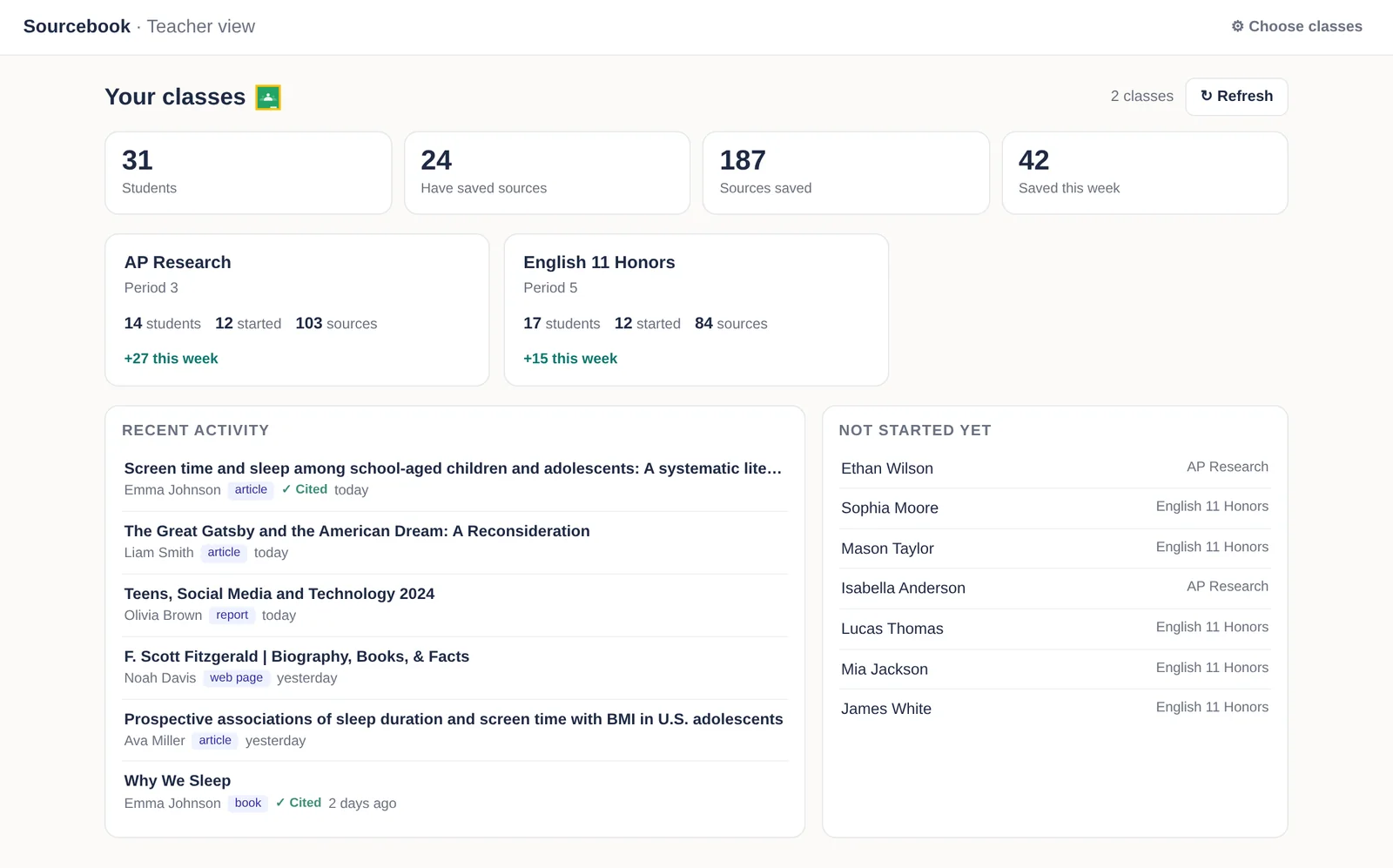
Teacher view, with sample students. Export student work.
Export a class to a spreadsheet in one click.

Questions? support@sourcebooksaver.com
Free for students.
$5 a month for teachers.
Every teacher starts with a 30-day free trial of Sourcebook Saver Pro. Cancel anytime.
Students
Save, organize, and cite
No limits
Pro, monthly
After 30-day free trial
Pro, annual
Two months free
Plus applicable tax.
Refund within 14 days of payment. See terms for details.
Schools and districts: request a quote at support@sourcebooksaver.com.